Quick Facts
- Price: Approximately $249, making it one of the most affordable entry points into hearing health.
- FDA Status: Cleared for over-the-counter (OTC) use as of September 12, 2024.
- Target Audience: Adults 18 and older with perceived mild to moderate hearing impairment.
- Battery Life: 5 to 6 hours of active hearing assistance per charge, supplemented by the charging case.
- Accuracy: Clinical validation shows results are 86.5% consistent with professional pure-tone audiometry (PTA) tests.
- Hardware Requirements: Requires AirPods Pro 2 (Lightning or USB-C version) and a compatible device running iOS 18.1 or later.
- Core Benefit: Seamless integration of a clinical-grade hearing test with high-fidelity audio streaming and active noise cancellation.
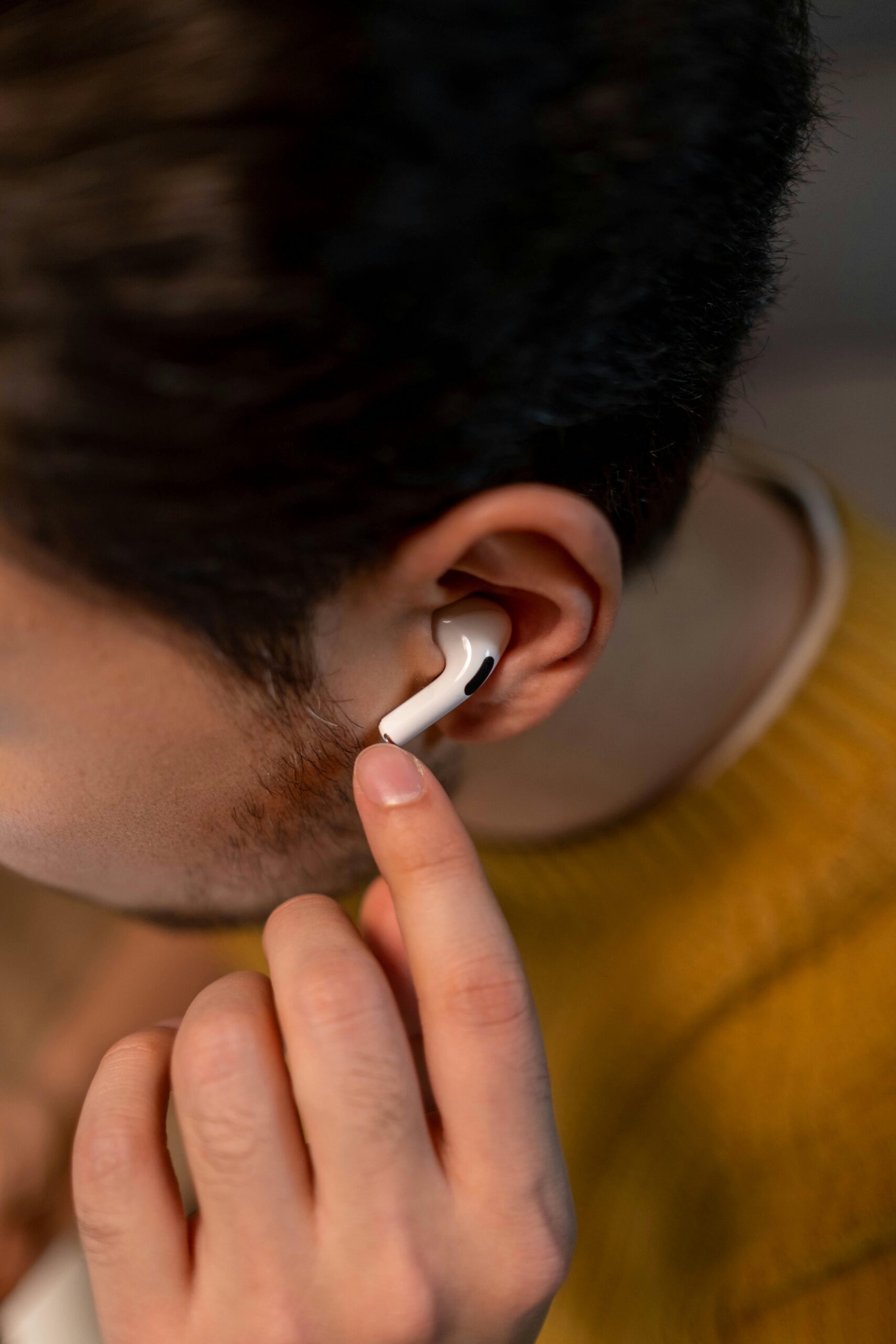
To use AirPods Pro 2 as a hearing aid, users must have a compatible iPhone or iPad running the required iOS version to access the clinical-grade hearing test in the Apple Health app. Once the test is completed, the H2 chip processing uses the results to create a personalized sound profile that automatically adjusts Transparency mode and Speech Boost technology to enhance vocal clarity while reducing environmental noise, specifically for individuals with mild to moderate hearing impairment. This AirPods hearing aid functionality represents a major shift in medical device regulation, providing an accessible, self-fitting technology for the millions of adults currently navigating untreated hearing loss.
Technical Prerequisites and iOS Requirements
Before you can begin the transition from using your earbuds for music to utilizing them as a medical-grade tool, you must ensure your hardware and software are correctly aligned. The hearing aid feature is not a generic software update for all Apple headphones; it is tied specifically to the hardware capabilities of the AirPods Pro 2. This is because the H2 chip processing is required to handle the real-time, low-latency audio adjustments necessary for high-quality hearing support.
The first step in any AirPods hearing aid setup guide is verifying your operating system. You must be running iOS 18.1 or iPadOS 18.1 or later to see the hearing health options in your settings. Furthermore, your AirPods Pro 2 must be updated to the latest iOS 18 firmware. This update usually happens automatically when your AirPods are in their charging case and near your iPhone, but it is worth checking your firmware version in the Bluetooth settings to ensure you are ready to proceed.
Beyond the digital requirements, physical fit is paramount for the AirPods Pro 2 hearing aid for moderate hearing loss effectiveness. To obtain accurate results during the initial assessment, you must achieve an airtight seal using the provided silicone ear tips. If the tips are too small, sound leakage will skew your results, leading to an incorrect Apple Health audiogram. Apple provides an Ear Tip Fit Test within the settings menu; I highly recommend running this before you start the clinical validation process to ensure the acoustic environment inside your ear canal is controlled.
Step-by-Step Setup: The Apple Hearing Test
The hallmark of this new feature is the AirPods Pro 2 hearing test, which allows for a sophisticated level of self-fitting technology that was previously only available in a clinic. On September 12, 2024, the U.S. Food and Drug Administration authorized the first over-the-counter hearing aid software for these devices, legitimizing the process for home use.
Follow these steps for a successful setup:
- Find a Near-Silent Space: The environment must be incredibly quiet. If the ambient sound control detects noise levels above 35 dB, the test will pause. A bedroom or a quiet home office is usually ideal.
- Access the Health App: Open the Health app on your iPhone, tap on "Browse," and select "Hearing." You will find the option to take the hearing test here.
- The Calibration Phase: The system will check your ear tip seal and environmental noise levels one last time.
- The 5-minute Assessment: You will hear a series of tones at different frequencies and volumes. You must tap the screen every time you hear a sound, even if it is very faint. This process takes approximately 5.5 minutes.
- Review Your Results: Once finished, you will see your results categorized as little to no loss, mild loss, or moderate loss. The system generates an Apple Health audiogram that details your hearing threshold across specific frequencies.
- Enable Hearing Assistance: If the test indicates mild to moderate loss, you will be prompted to enable the hearing aid feature. This will apply your personalized sound profile to Transparency mode.
Once you have mastered how to set up airpods pro 2 as hearing aids, the device will remember your settings across all your Apple devices. The H2 chip will now use your specific hearing profile to amplify the frequencies you struggle with, making daily conversations much easier to navigate.
Performance Analysis: Accuracy and Sound Quality
One of the most impressive aspects of this technology is the airpods pro 2 hearing test accuracy for mild hearing loss. In a clinical study involving 118 subjects, it was demonstrated that users who self-fitted their devices achieved perceived benefits similar to those who received a professional fitting of the same device. This is a significant milestone for preventive healthcare, as it lowers the barrier to entry for the more than 30 million American adults who report some degree of hearing loss.
In real-world use, the airpods pro 2 hearing aid performance in background noise is where the H2 chip truly shines. Unlike basic sound amplifiers, which simply make everything louder, the AirPods use Speech Boost technology to isolate and enhance the voices of people standing directly in front of you. This is particularly helpful in restaurants or family gatherings where ambient noise typically makes conversation difficult.
However, there are trade-offs to consider. The battery life is the primary hurdle for all-day use. While traditional OTC devices can last 16 to 24 hours, the AirPods Pro 2 provide roughly 6 hours of hearing assistance. This makes them excellent for specific scenarios—like attending a lecture, a movie, or a dinner—but they may not be the primary solution for someone requiring 16 hours of continuous support.
Editor’s Note: From a preventive care perspective, the "Transparency mode" on these devices is a game-changer. It doesn't just amplify; it protects. If you are in hearing aid mode and a loud sound occurs (like a siren), the device instantly dampens that specific noise to protect your remaining hearing while keeping voices clear.
AirPods Pro vs OTC Hearing Aids: The Verdict
When comparing the AirPods Pro vs OTC hearing aids, we have to look at the lifestyle of the user. Traditional OTC devices often cost between $800 and $1,500 and are designed to be nearly invisible and worn all day. AirPods, conversely, are visible and carry a certain "tech aesthetic" that may actually help with stigma reduction.
| Feature | AirPods Pro 2 | Typical OTC Hearing Aid | Prescription Hearing Aid |
|---|---|---|---|
| Price | ~$249 | $700 - $1,500 | $2,000 - $6,000+ |
| Fitting | Self-fitted (iOS 18) | Self-fitted or Remote | Professional Audiologist |
| Battery Life | 6 Hours | 16 - 24 Hours | 16 - 30 Hours |
| Audio Streaming | Best-in-class | Varies (often basic) | Good (High-end only) |
| Target Loss | Mild to Moderate | Mild to Moderate | All levels (Mild to Profound) |
| Form Factor | In-ear bud | Discreet/Behind-ear | Highly Discreet |
The airpods pro 2 vs otc hearing aids for daily wear debate usually comes down to battery and professional support. If you have moderate hearing loss and spend your day in meetings, a dedicated OTC device might be better. But if you are someone who only struggles in specific loud environments, the AirPods hearing aid functionality offers a high-tech, dual-purpose solution that traditional medical devices cannot match.
Medical Red Flags: When to See an Audiologist
As a preventive care editor, I must emphasize that while self-fitting technology is a massive leap forward, it does not replace a doctor. There are specific medical conditions where using an AirPods hearing aid without a professional evaluation could be dangerous.
The FDA and audiologists recommend seeing a professional if you experience any of the following "red flags":
- Asymmetric Hearing Loss: If one ear hears significantly better than the other, this could indicate a physical blockage or a more serious underlying neurological issue.
- Sudden Change: If your hearing drops off suddenly (within a 90-day period), seek medical attention immediately.
- Tinnitus: Constant ringing in one or both ears requires a professional diagnostic.
- Physical Symptoms: Ear drainage, pain, or active dizziness (vertigo) are signs of an ear infection or inner ear disorder.
- Severe Loss: If you cannot hear a conversation in a quiet room even with amplification, the AirPods Pro 2 hearing aid for moderate hearing loss effectiveness will likely not be sufficient for your needs.
The ios version requirements for airpods pro hearing aid feature ensure you are using the most up-to-date algorithms, but software cannot diagnose a tumor or a middle-ear infection. Use the built-in test as a screening tool, but maintain your regular audiology checkups.
FAQ
Can AirPods be used as hearing aids?
Yes, the AirPods Pro 2 are now FDA-cleared as over-the-counter hearing aids for adults with mild to moderate hearing loss. This is achieved through a specific software update in iOS 18.1 that uses the H2 chip to provide clinical-grade amplification and sound processing.
How do you set up AirPods Pro as a hearing aid?
You must first update your iPhone to iOS 18.1 and your AirPods Pro 2 to the latest firmware. Then, go to the Health app or the AirPods settings menu to take the Hearing Test. If the test detects mild to moderate hearing loss, you can toggle on the Hearing Aid feature to apply your personalized profile to Transparency mode.
Are AirPods as effective as medical hearing aids?
For mild to moderate hearing loss, clinical studies show that the AirPods Pro 2 provide a similar level of benefit to professionally fitted devices. However, they are not suitable for severe or profound hearing loss and lack the all-day battery life (only 6 hours) that traditional medical hearing aids offer.
How do I take a hearing test with AirPods?
Ensure you are in a very quiet room (less than 35 dB of noise) and have a good ear tip seal. Open the Health app on your iPhone, navigate to the Hearing section, and select Take a Hearing Test. The 5.5-minute test will play a series of tones, and you simply tap the screen when you hear them.
What is the difference between AirPods and OTC hearing aids?
The primary differences are battery life and design. AirPods Pro 2 cost significantly less (around $249) and offer superior music streaming, but only last 5-6 hours on a charge. Traditional OTC hearing aids are designed for 16+ hours of wear and are much more discreet but often lack the advanced tech integration found in the Apple ecosystem.
Closing Thoughts on Long-Term Wellness
The integration of the AirPods hearing aid feature is more than just a tech update; it is a significant step toward normalizing hearing health. For years, the stigma of wearing a hearing aid has prevented millions of people from seeking help, which can lead to social isolation and cognitive decline. By turning a ubiquitous consumer product into a medical tool, Apple is making it easier for us to take proactive steps in our preventive healthcare routines.
If you already own these earbuds and find yourself asking people to repeat themselves, I encourage you to take the 5-minute test. It is a zero-cost way to check in on your auditory health and potentially improve your quality of life in a very meaningful way.